Catalog Setup: Memberships, Products, Quests & Coupons
This guide is only for the catalog flow in the tenant app: memberships, products, quests, and coupons.
Dashboard Overview
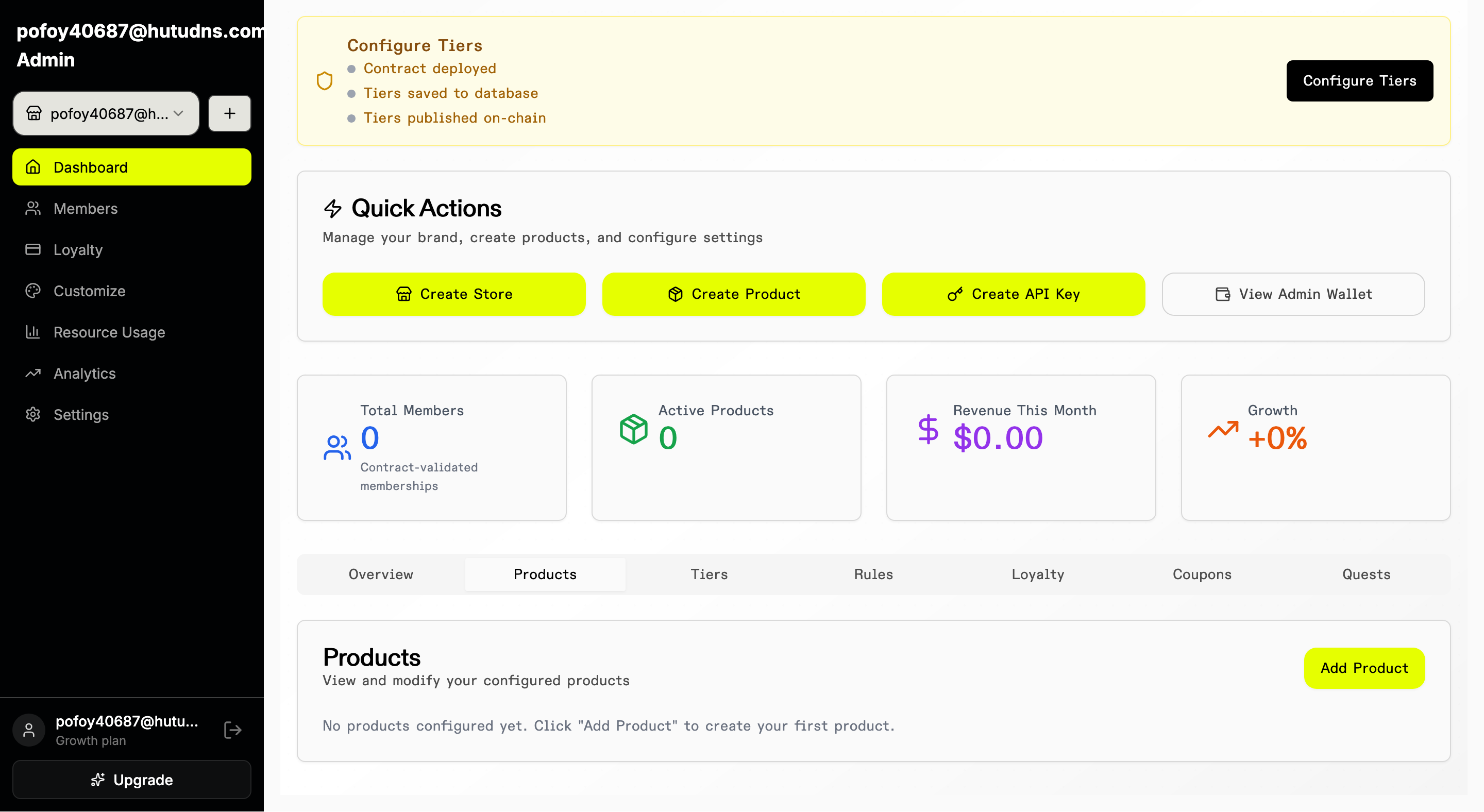
Step 1: From the tenant dashboard, use the Products, Tiers, Coupons, and Quests sections to navigate catalog areas and click Add to create new items (memberships, products, quests, and more).
Membership Setup
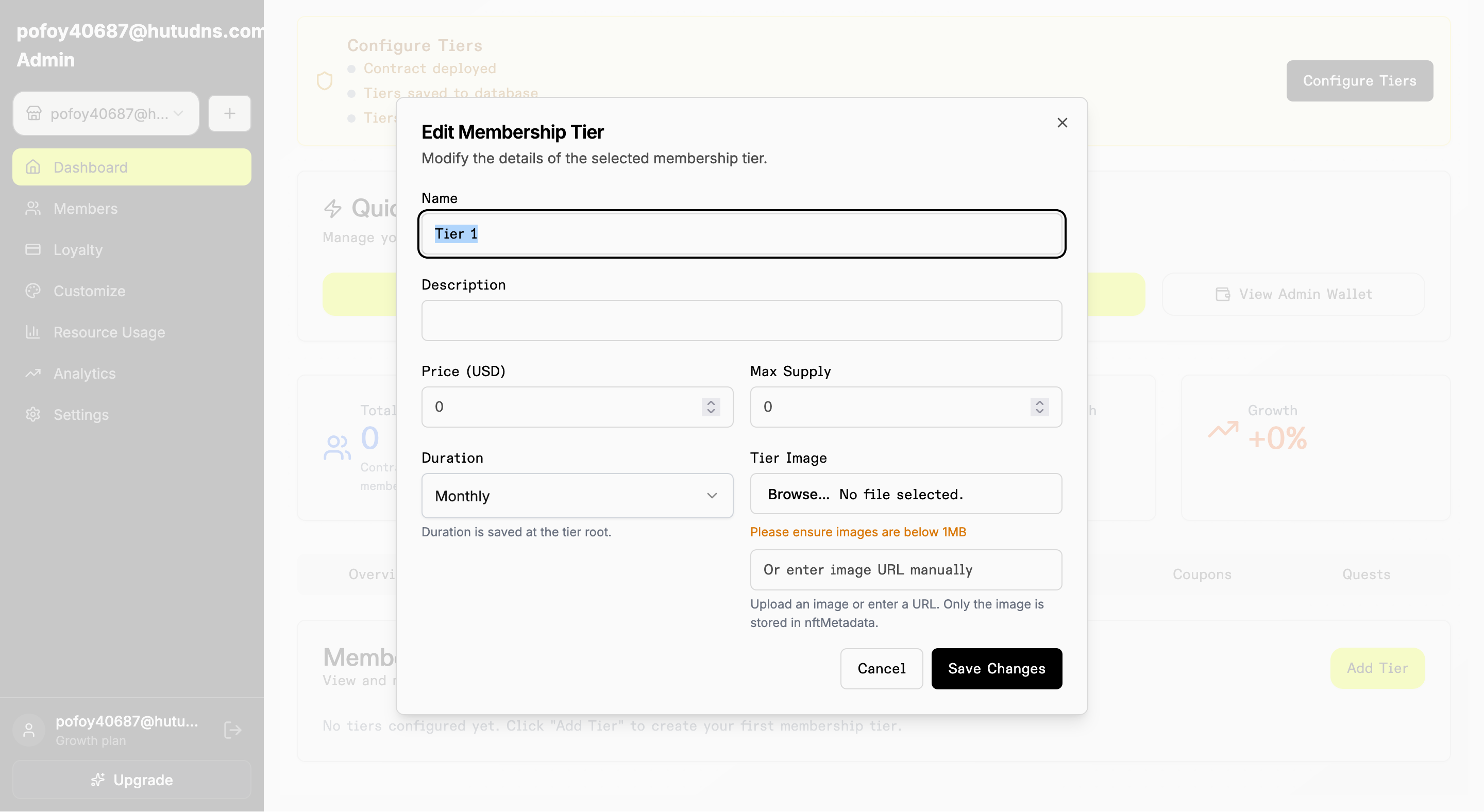
Step 2: Open Tiers and click Add Tier.
Product Setup
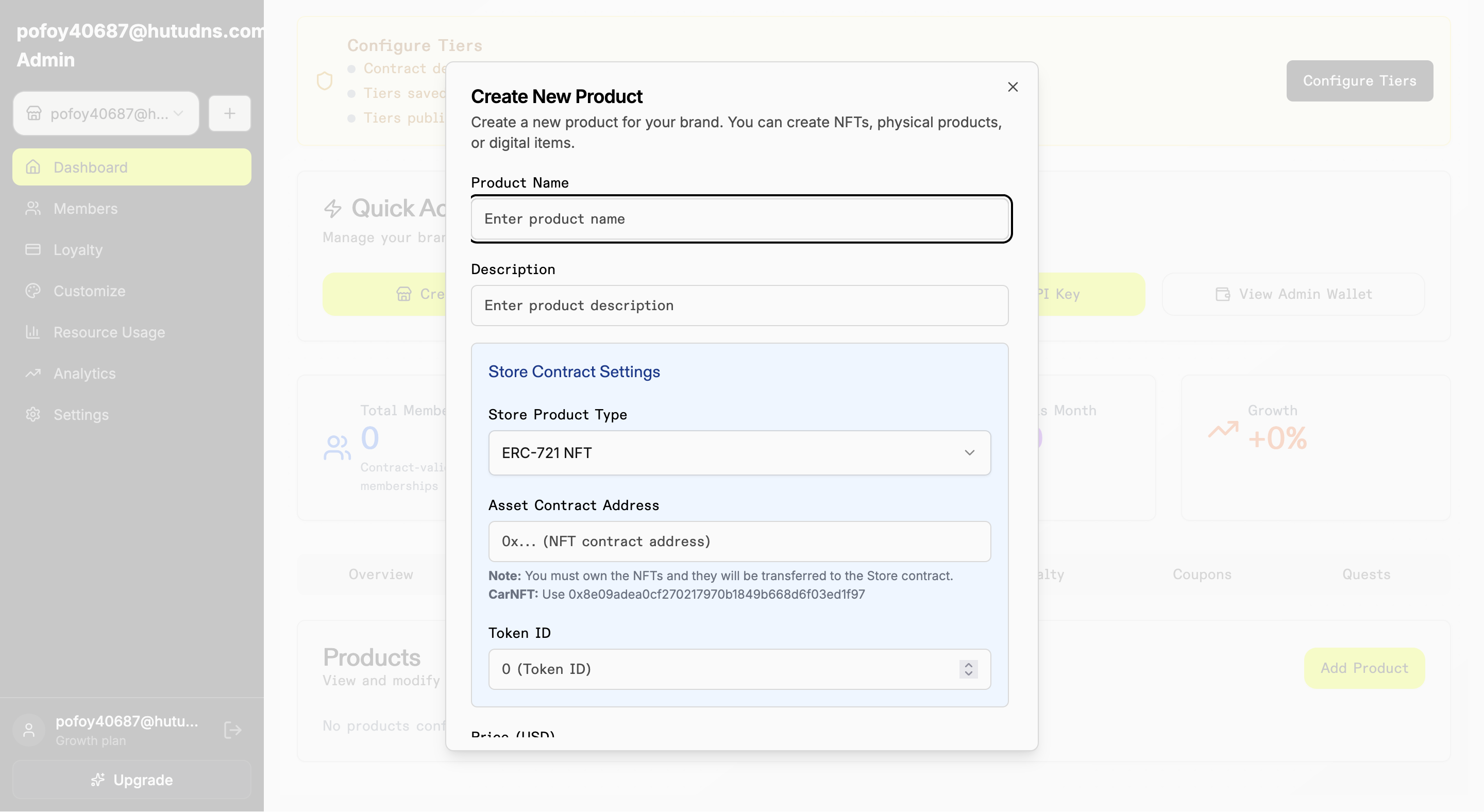
Step 3: Open Products and click Add Product. Fill details, media, inventory, and pricing.
Quest Setup
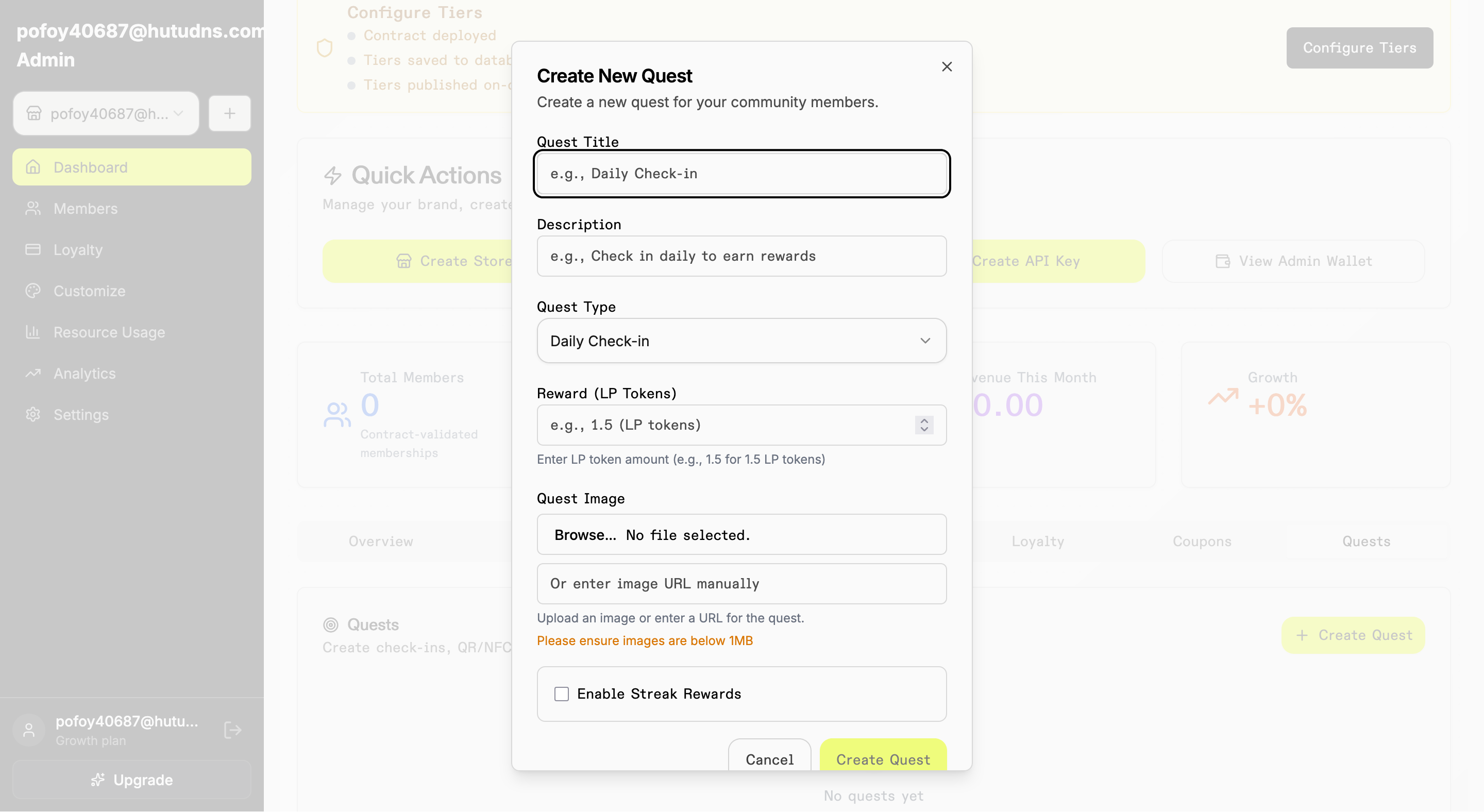
Step 4: Open Quests and click Add Quest. Configure trigger, reward, and validity.
Coupon Setup
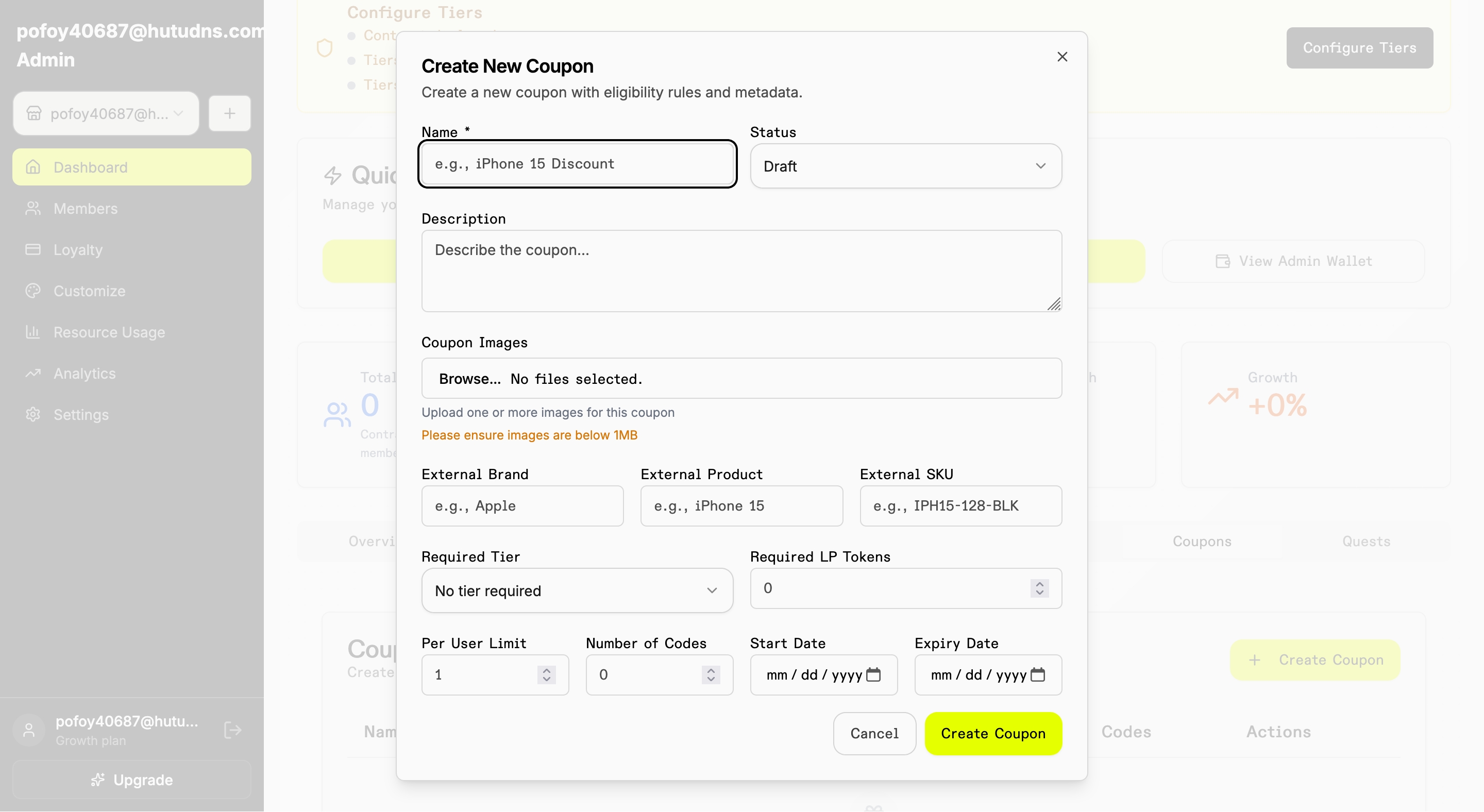
Step 5: Open Coupons and click Add Coupon. Configure code, discount, limits, and date range.
Update Checklist
- Use only approved catalog screenshots (overview, membership, product, quest, coupon).
- Ensure alt text clearly states what is visible and why it matters.
- Confirm screenshots match current production/staging UI.
- Add owner/reviewer when media is updated.
Last updated: 2026-02-10
Last updated on