Subscription & Plan Upgrades
This guide explains how to review your current subscription, compare available plans, and upgrade your tenant’s plan from the Settings area.
Overview
The subscription settings page provides visibility into your active plan, billing status, and available upgrade options.
From this interface, you can:
- View your current plan and billing cycle
- Compare available plan tiers
- Initiate a plan upgrade
- Verify updated subscription status
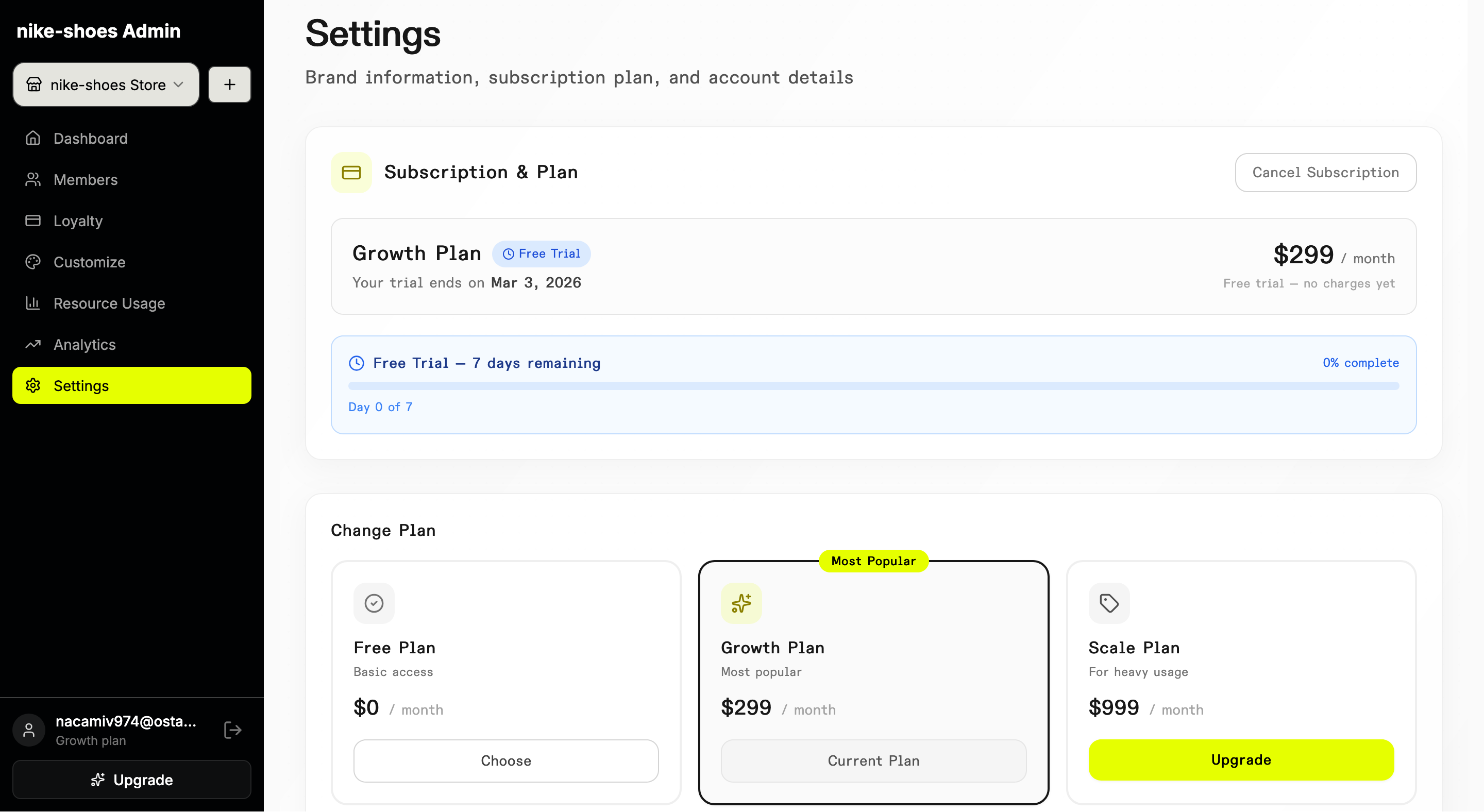
The interface above displays the subscription management section, including plan details, pricing, and available actions.
Steps
To upgrade your subscription:
- Navigate to Settings → Subscription & Plan
- Review available plan options
- Select the desired plan
- Confirm the upgrade
Once confirmed, the platform automatically applies the updated plan configuration to your tenant.
Video Walkthrough
⚠️ Coming soon: The walkthrough video will be added here soon.
💡 Tip: Feature limits and capabilities adjust immediately after a successful upgrade.
Expected Result
After upgrading:
- The new plan is reflected in your subscription details
- Updated limits and features become active
- Billing status is updated accordingly
Last updated on